Your FiveM server, under control.
Manage players, capture clips, back up your database, all from a single dashboard. Real-time map tracking with zero custom scripts required. Start on Free and upgrade per server when you need more.
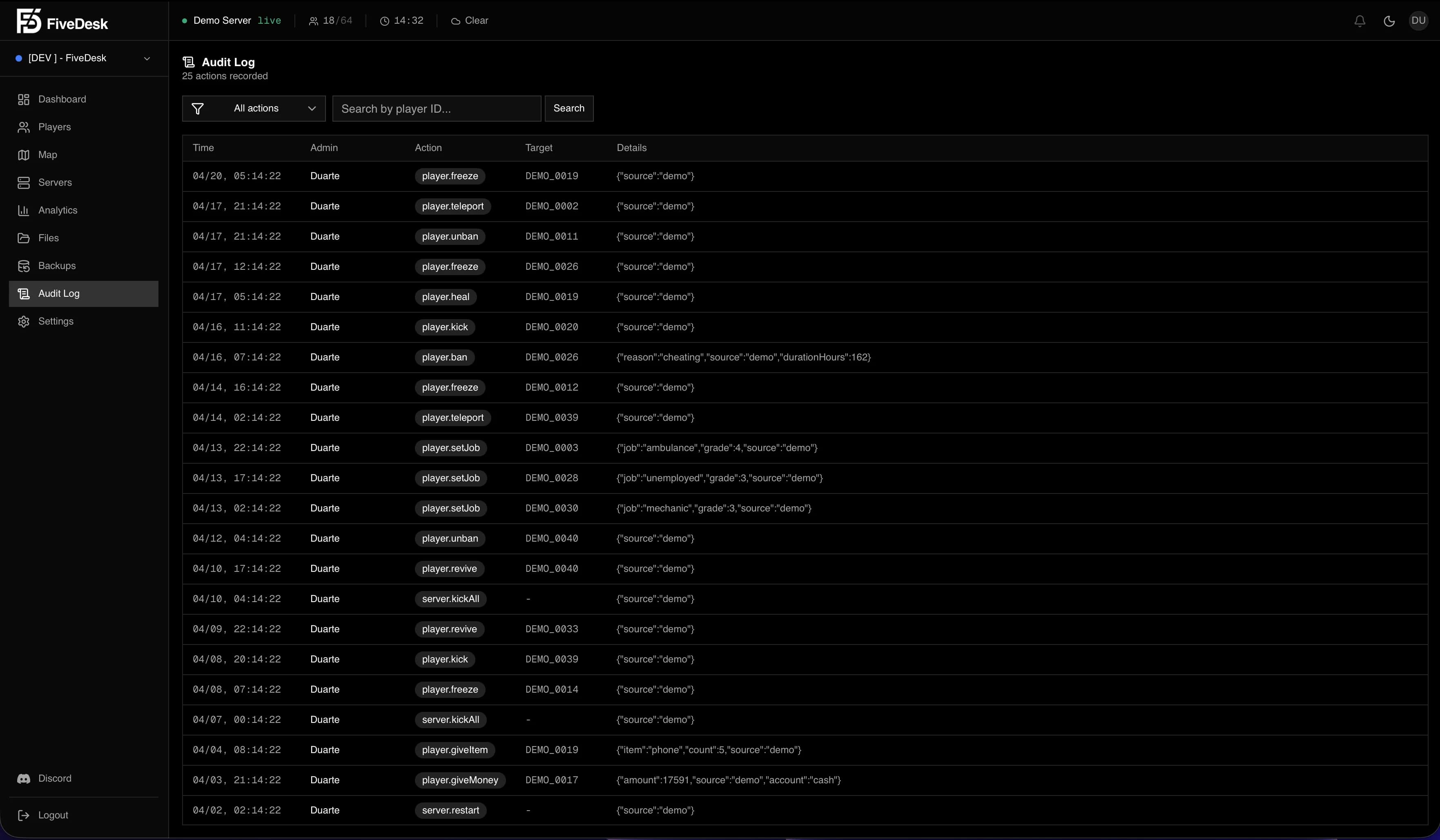
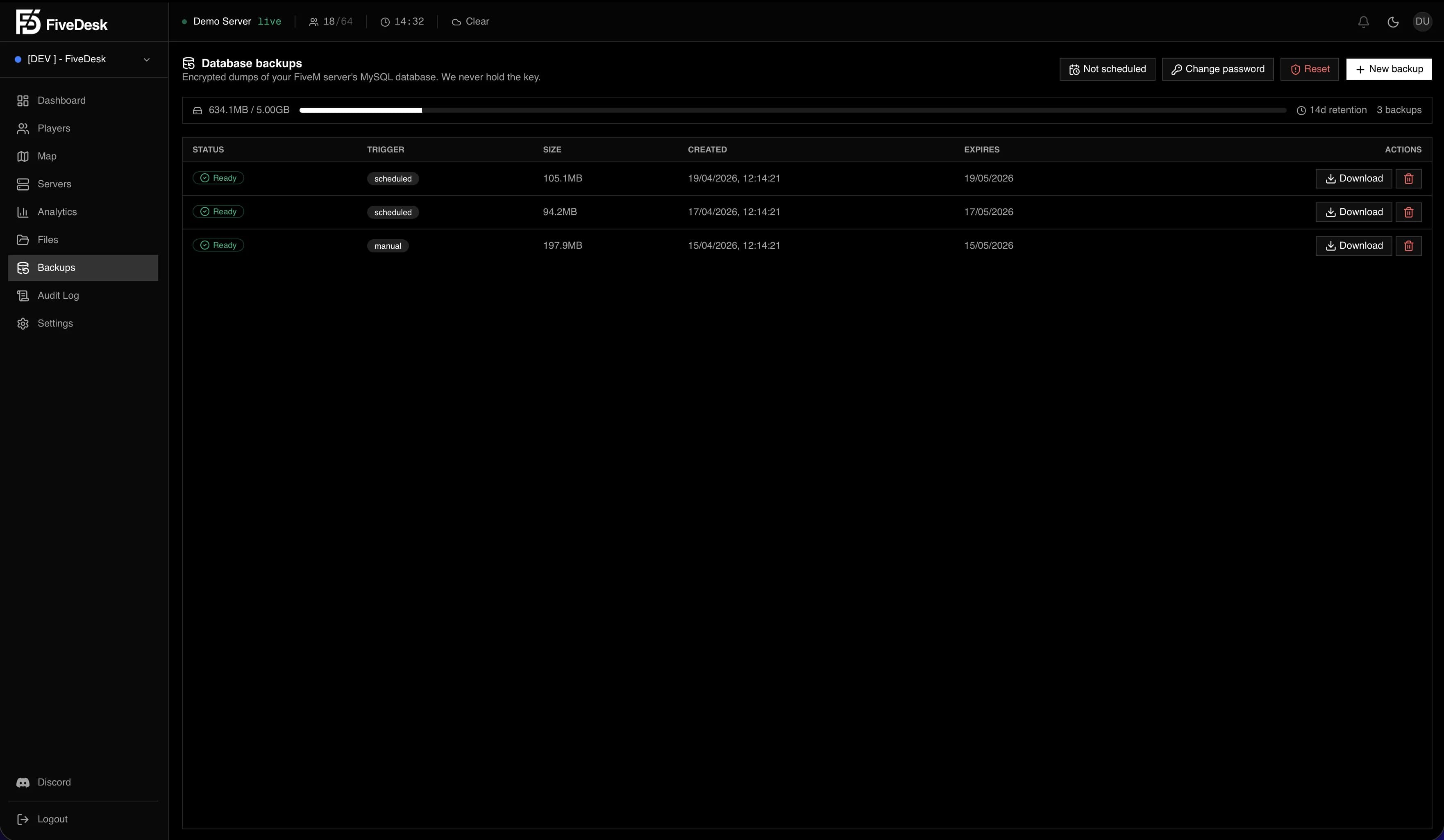
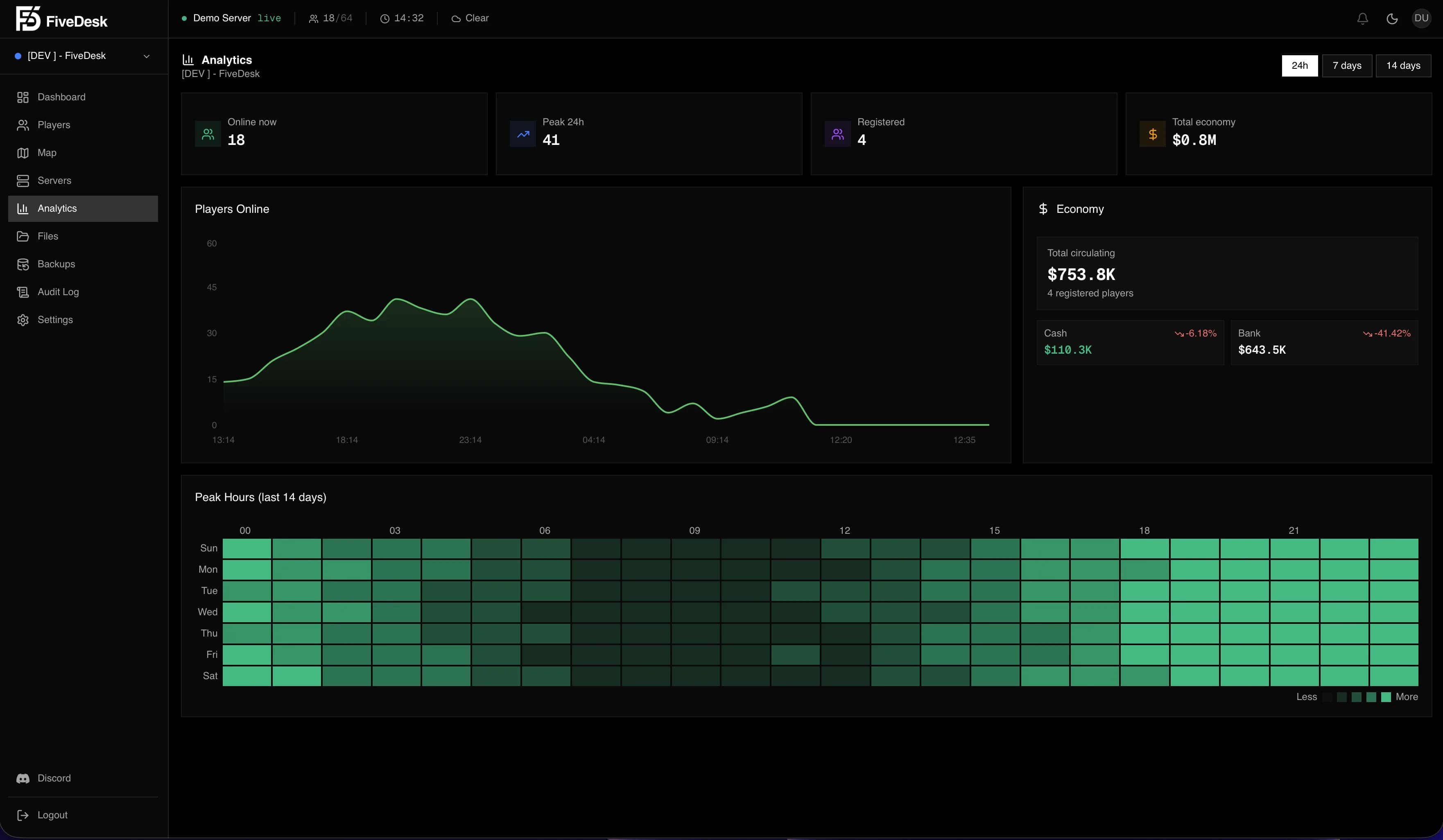
Dashboard
Your control center.
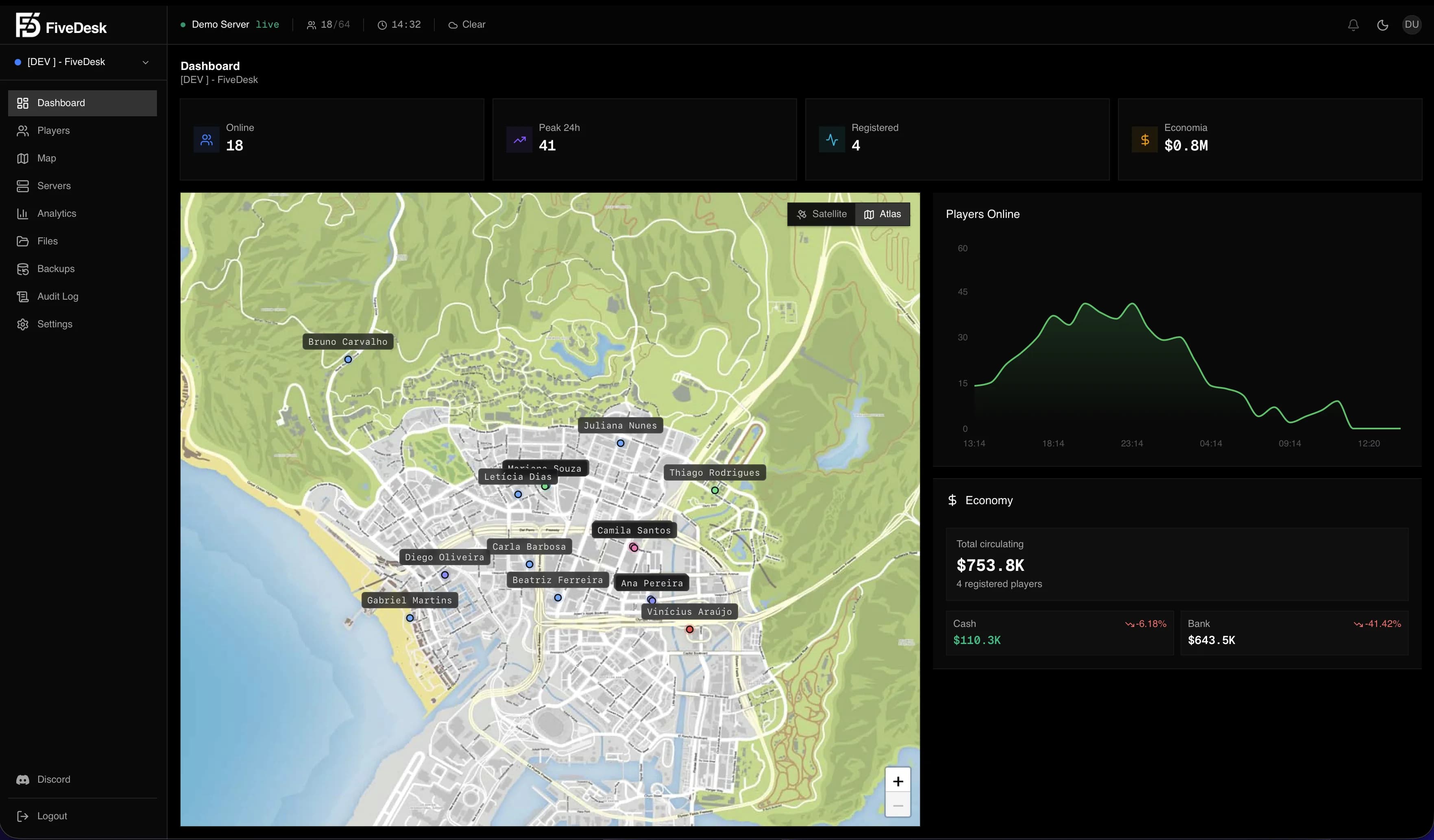
A single view over every server: online players, economy, peak hours, live status. Built so you spot what changed in seconds.
How it connects
Your FiveM server, streamed to you
live, through FiveDesk.
Every player, event, and action flows from your server through FiveDesk into your dashboard in real time. Admin commands travel the same road back.
 FiveDesk
Features
Manage players, capture clips, back up your database and track everyone on a live map, all from a single dashboard. No custom scripts required.
Real-time Map
Track every player on a GTA V satellite map. Live positions, vehicles and health status, all updating in real time.
Watch Mode
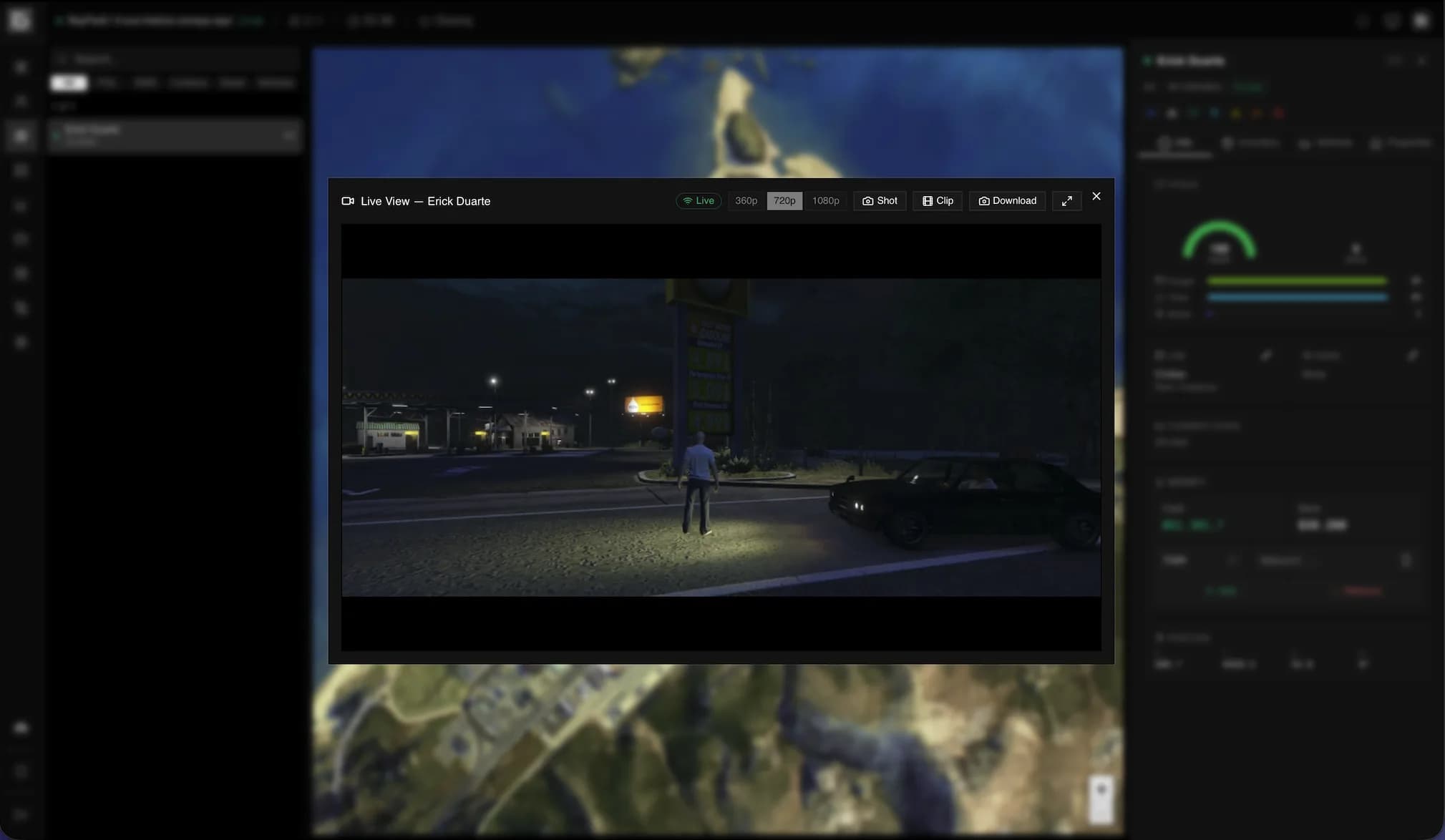
Follow any player live at 250ms precision. Position, vehicle telemetry, health and armor stream straight to your panel.
Player Management
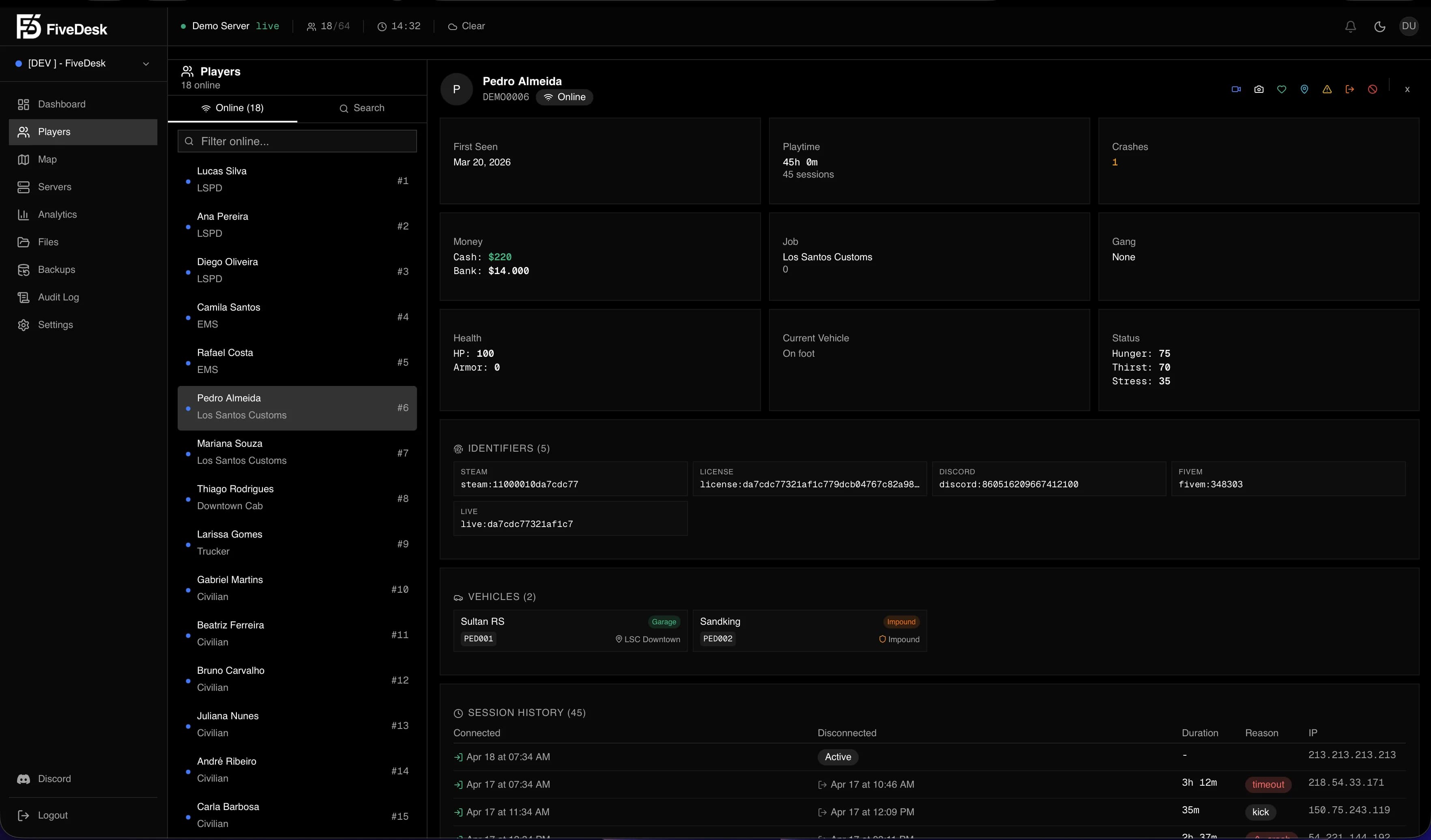
Kick, ban, warn, revive, teleport. Full player control with in-game notifications and action history.
Clips & Screenshots
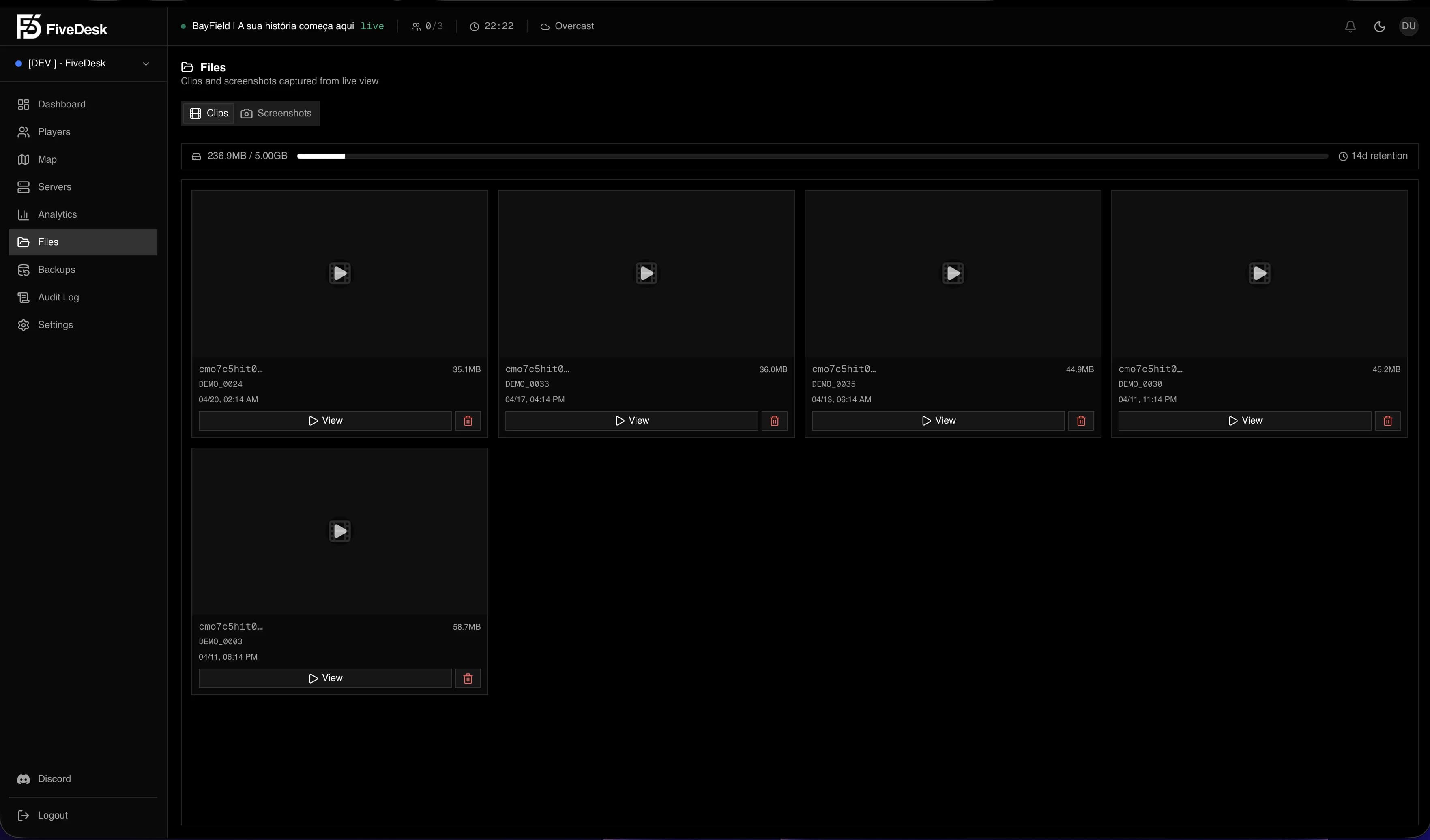
Record the last 15, 30 or 60 seconds of gameplay as evidence. Screenshot any player from the panel. All stored with retention.
Encrypted Backups
Zero-knowledge database backups. The encryption password never leaves your browser. Even we cannot read them.
Economy Control
Monitor total cash flow. Add, remove or set money. Track inflation day over day with detailed charts.
Analytics Dashboard
Player count charts, peak hours heatmap, economy trends. 14-day retention with automatic snapshots.
Inventory & Vehicles
Browse player inventory, give or remove items. Vehicle details with tuning mods. Properties and houses.
RCON & Resources
Execute server commands, restart resources, control weather and time. All from your browser.
Role-based Access
Admin, Moderator, Viewer. Each role sees only what they should. Invite your team with email.
Multi-server
Manage multiple FiveM servers from one dashboard. Switch between them instantly.
QBCore & Qbox Native
Works out of the box with QBCore and Qbox servers. No custom scripts needed, just install the resource.
How it works
Up and running
in minutes.
Create your account
Sign up with email or Discord and create your first server on the Free plan.
Install the resource
Drop the fivedesk-api resource into your FiveM server. Copy your Server ID and API Key from the panel.
Start managing
Restart your server and open the dashboard. Upgrade to Starter, Pro, or Business only when you need advanced limits and retention.
Pricing
Choose your plan.
Free
Up to 64 players
2 team seats
24h analytics
Starter
Up to 128 players
5 team seats
7d analytics
Pro
Up to 384 players
15 team seats
30d analytics
Business
Up to 1,024 players
Unlimited team seats
90d analytics
More from FiveDesk